Please fill out the form below to request a quote or to request more information about us. please be as detailed as possible in your message, and we will get back to you as soon as possible with a response. we're ready to start working on your new project, contact us now to get started.
Why Traditional POS Systems Excel for High-Volume Retail: A Guide to Offline Reliability, Security, and Scalability
2026-04-11
SZFP
21
Running a business that handles large volumes of daily transactions, such as a retail store, means efficiency and reliability are critical. One essential tool that can make or break your efficiency is the Point of Sale (POS) system. While cloud-based systems offer flexibility and remote access, traditional POS systems also have significant advantages in high-volume retail settings. Let's explore the nuances of traditional POS systems and highlight why they might be the ideal choice for your business.
Why Traditional POS vs. Cloud-Based POS
Choosing between traditional and cloud-based POS systems involves weighing several factors. Here's a detailed comparison:
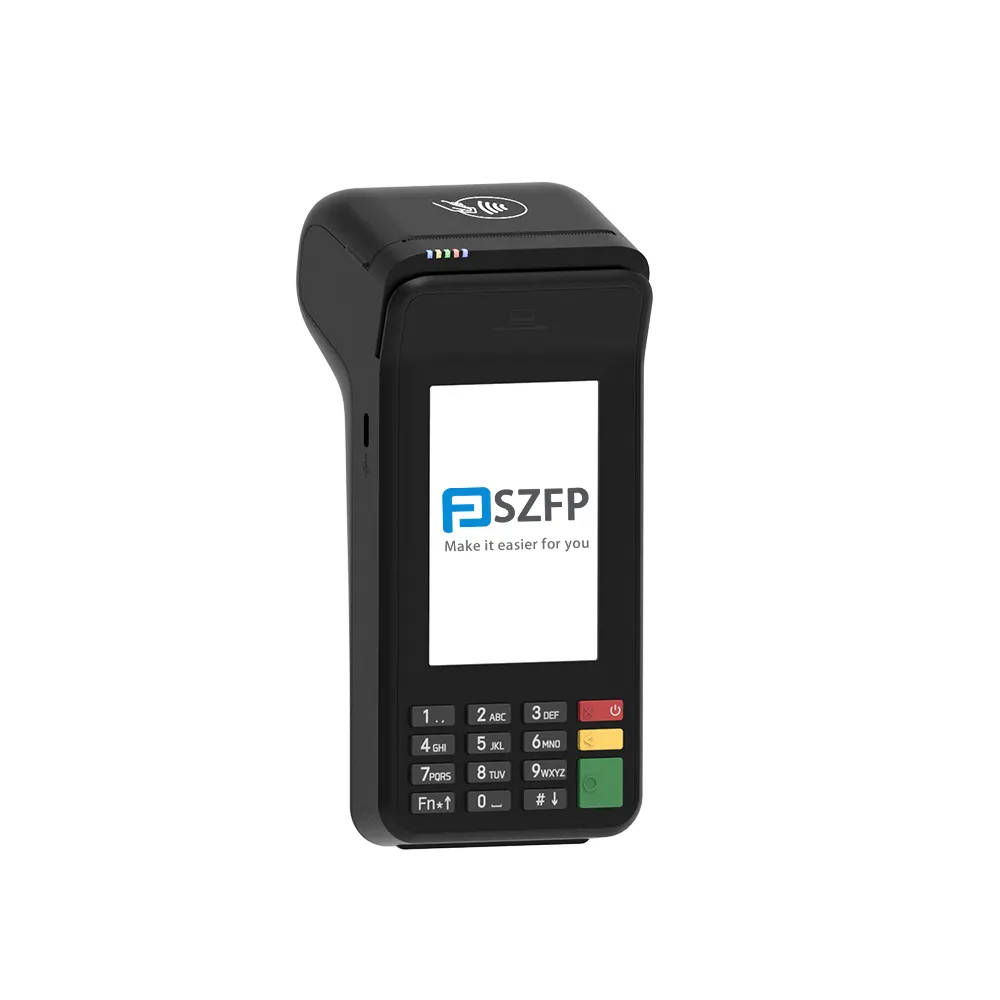
Offline Reliability and Stability
Traditional POS Systems are designed to operate offline, a crucial feature for businesses that experience frequent power outages or rely on local processing. When the internet is down, a traditional POS system ensures that transactions can still be processed without interruption, maintaining business continuity and minimizing downtime.
Flexibility and Customization
Traditional POS systems often come with a fixed set of features, allowing businesses to customize and tailor them to specific needs. This can be particularly beneficial for high-volume retailers who require unique features such as detailed inventory tracking, advanced reporting tools, or custom integrations.
Installation and Maintenance
Unlike cloud-based systems that require ongoing internet connectivity, traditional POS systems are installed locally and rely on an internal network. This means installation is one-time and typically more straightforward, with less need for ongoing maintenance and updates. SZFP traditional POS systems, for instance, come with robust local servers designed for continuous operation, ensuring durability and reliability.
Data Security
Local storage of data means that traditional POS systems offer higher security. Data is not transmitted over the internet, reducing the risk of breaches. SZFP machines are equipped with advanced security features, including encryption and firewalls, to protect sensitive customer and transaction data.
Key Features of Traditional POS Systems
Barcode Scanning and Inventory Management
Barcode scanning is a core feature of traditional POS systems, vital in managing large inventories in high-volume retail settings. SZFP POS machines offer high-speed barcode readers capable of processing thousands of transactions daily.
Inventory management features enable real-time tracking of stock levels, preventing overstocking or stockouts. This is crucial for businesses managing large inventories, helping mitigate the risk of running out of popular items or accumulating unnecessary stock.
Reporting Tools and Customer Engagement
Reporting tools provide detailed sales summaries, inventory reports, and profit/loss statements, helping store owners make informed business decisions. SZFP POS systems offer comprehensive reports, allowing you to monitor daily sales, identify your most profitable products, and track employee performance.
Customer engagement features include loyalty programs and purchase history tracking. SZFP machines support seamless integration with customer databases, allowing you to reward repeat customers and foster long-term relationships.
Integration Options
Traditional POS systems can integrate with various peripherals like printers, cash drawers, and barcode scanners, as well as third-party applications. This flexibility allows businesses to tailor their systems to their specific needs. SZFP machines are designed to work seamlessly with a wide range of equipment and software, ensuring a smooth and efficient operation.
Choosing the Right Traditional POS System Provider
Vendor Features and Qualifications
When choosing a traditional POS system provider, consider the following factors:
Scalability: Look for a system that can grow with your business, supporting both small and large operations. SZFP POS systems are scalable, allowing you to add features and functionalities as your business expands.
Ease of Use: Staff should be able to learn the system quickly, with minimal training. SZFP machines are user-friendly, designed for easy operation even by non-technical staff.
Pricing Model: Compare costs, ensuring there are no hidden fees. SZFP offers transparent pricing, with no additional charges for updates or software downloads.
Real-World Examples and Case Studies
Real-world examples can provide valuable insights into the performance and effectiveness of traditional POS systems:
Example Store A: A high-volume clothing retailer in Perth upgraded to a traditional SZFP POS system. They saw a significant increase in transaction speed and accuracy, leading to higher customer satisfaction and reduced wait times. The store manager noted that the system's robust reporting features helped them identify areas for improvement, enhancing operational efficiency.
Example Store B: Another store owner implemented an SZFP POS system to manage their inventory more effectively. The system's detailed inventory tracking allowed them to identify slow-moving items and streamline their stock management, resulting in cost savings and better inventory utilization.
Questions to Ask Before Investing
When evaluating traditional POS systems, consider the following questions:
Integration with Current Tools: Does the POS software integrate seamlessly with your existing systems, such as inventory management software, CRM, or accounting tools?
In-Store and Online Sales: Can the system handle both in-store and online sales? SZFP POS systems are versatile, supporting both traditional and digital sales channels.
Customer Support: What level of customer support is available locally? Ensure the provider offers prompt and effective support, especially in high-volume retail settings.
Future-Upgraded Flexibility: Is the system flexible enough to accommodate future upgrades and feature additions? SZFP machines are designed with future expansion in mind, making them a long-term investment.
Conclusion
Choosing the right POS system for your high-volume retail business is crucial for operational efficiency and customer satisfaction. Traditional POS systems, while having some drawbacks, offer unbeatable reliability, superior data security, and customization options that can significantly benefit large-scale operations.
SZFP POS machines stand out with their advanced features designed specifically for high-volume transactions. From seamless barcode scanning to comprehensive inventory management and robust reporting tools, SZFP offers a comprehensive solution tailored to your business's needs. By partnering with experienced providers, you can ensure your POS system delivers the performance and reliability your business demands.
By carefully evaluating and choosing a provider that meets your specific requirements, you can streamline your operations, reduce downtime, and enhance your customer experience. Ensure your POS system aligns with your business goals and future growth plans, providing a solid foundation for success in high-volume retail.
Table of Contents
GET IN TOUCH WITH Us
SZFP Technology Limited(https://www.szfptech.com/) specializes in the R&D, production and iterative upgrading of offline payment terminals. In the global POS terminal industry, Linux-based traditional POS and customized Android smart POS represent two mainstream technical architectures. Based on our actual product development and project delivery experience, this article delivers a concise, objective comparison between the two solutions and outlines practical industry trends and product roadmap directions.
We are a professional pos terminal manufacturer and high-tech company registered in Shenzhen and Hong Kong, China, focusing on EFT-POS terminal R&D.
Tel: 86-755-86276295
Email: sales@szfptech.com
Address: Room 213, Building 1, Mingliang Science Park, 88 Zhuguang North Road, Taoyuan Street, Shenzhen, Guangdong, China
Copyright © 2026 SZFP | Privacy Policy Sitemap