

Please fill out the form below to request a quote or to request more information about us. please be as detailed as possible in your message, and we will get back to you as soon as possible with a response. we're ready to start working on your new project, contact us now to get started.
The Ultimate Guide to POS Systems for Small Restaurants: How SZFP Solves Key Challenges and Drives Success
2026-04-17
SZFP
44
Understanding POS Terminals
Key Components and Functions
- Payment Processing:
- Credit Card Processing: Integrated credit card swipers, contactless payment options, and mobile payment solutions.
Cash Payments: Cash drawers and coin counters.
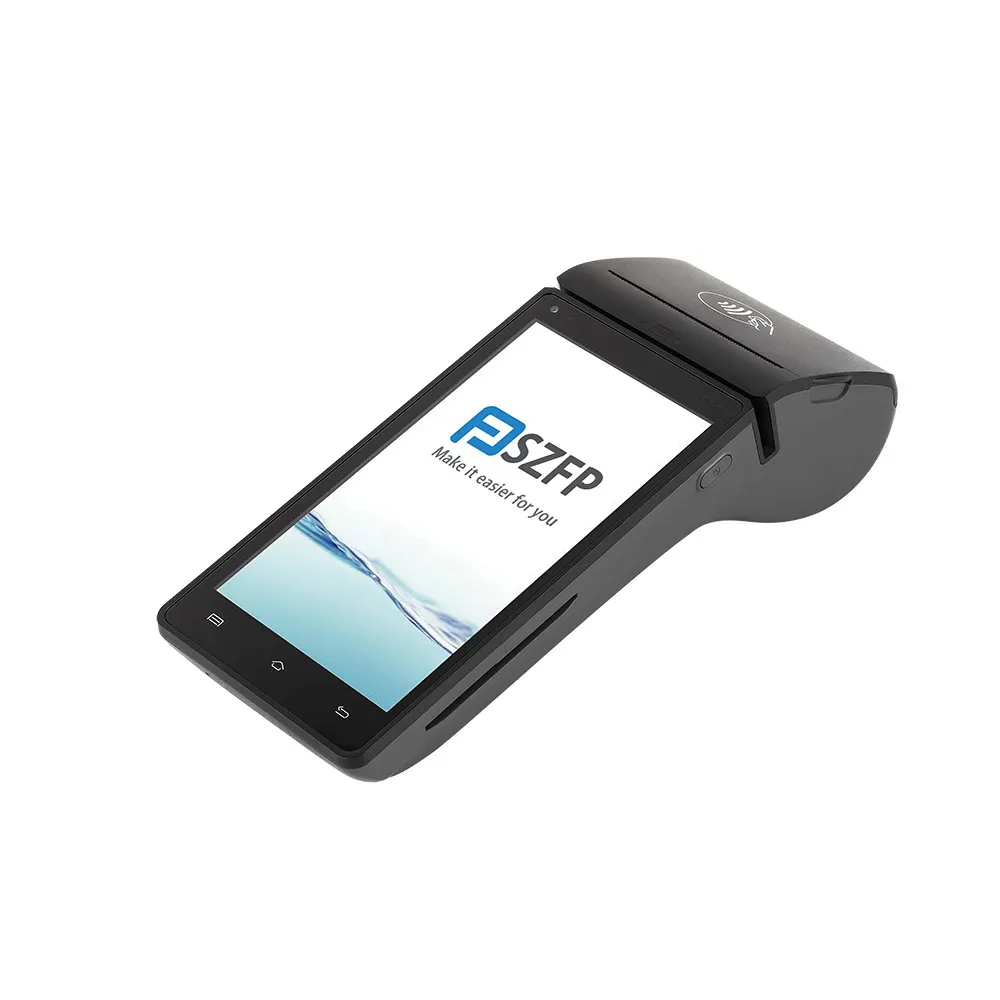
Customer Management:
- Customer Database: Track customer orders, preferences, and loyalty program details.
Data Analytics: Monitor customer behavior and purchasing patterns to improve marketing strategies.
Inventory Management:
- Stock Tracking: Monitor food and beverage inventory levels.
- Reorders: Automatically notify staff when stock is running low.
Profit Margins: Calculate profit margins based on sales and inventory data.
Order Management:
- Table Management: Track orders by table.
- Order Entry: Quickly capture and process customer orders.
Order Voiding: Easily void or edit orders.
Reporting and Analytics:
- Revenue Tracking: Monitor daily, weekly, and monthly sales performance.
- Sales Trends: Identify top-selling items, slow-moving products, and inefficiencies.
- Expense Management: Track costs associated with inventory, staff, and other business expenses.
Common Challenges for Small Restaurants
Small restaurants often face several operational challenges that can hinder their profitability and customer satisfaction. Here are some of the most common issues:
Efficient Order Management
In a small restaurant, manual order processing can be time-consuming and error-prone. When customers are waiting for their food, delays caused by incorrect orders or miscommunication can lead to frustration and poor service. A POS system simplifies order management by:
- Real-Time Order Capture: Quick and accurate order entry.
- Integrated Kitchen Displays: Wireless kitchen displays that instantly update the preparation status.
Inventory Control
Manually tracking inventory can be a daunting task. Missing stock or overstocking items can lead to financial loss. A POS system integrates with your inventory management system to:
- Automated Stock Levels: Real-time stock updates.
- Low Stock Alerts: Notifications for reordering items.
- Sales Reports: Insights into what products are selling well or underperforming.
Customer Tracking
Building a loyal customer base is crucial for any restaurant. Without a robust customer management system, it can be difficult to keep track of customer preferences and history. A POS system includes:
- Customer Profiles: Store customer data, purchase history, and preferences.
- Loyalty Programs: Create and manage loyalty programs to reward repeat customers.
- Recruitment of New Customers: Analyze customer behavior to identify opportunities for targeted promotions.
Sales Data and Analytics
Analyzing sales data can be overwhelming, especially when it involves manual record-keeping and calculations. However, a POS system provides:
- Sales Reports: Daily, weekly, and monthly sales summaries.
- Trending Analysis: Insights into sales trends, customer behavior, and performance metrics.
- Profit and Loss Statements: Real-time financial data to help you make informed decisions.
Other Key Features
- Menu Management: Customize menus to reflect daily specials, seasonal changes, or promotions.
- Employee Management: Track employee availability, shifts, and performance metrics.
- Payment Flexibility: Support multiple payment methods, including cash, credit, debit, and mobile payments.
Now that we've covered some key challenges and solutions, let's dive into the specific features and benefits of the SZFP POS system, highlighting why it stands out for small restaurants.
SZFP POS Terminal Features
The SZFP POS system is designed specifically for small to medium-sized businesses, offering a range of features that cater to the needs of restaurant owners and managers. Here's a detailed look at what sets SZFP apart:
Payment Processing
SZFP POS systems include robust payment processing capabilities, supporting various payment methods:
- Integrated Card Readers: Seamlessly process credit and debit card payments.
- Contactless Payments: Accept mobile payments through NFC-enabled technology.
- Mobile Payments: Process payments through QR codes or mobile wallets.
Cloud-Based Management
Cloud-based POS platforms provide convenience and flexibility, allowing you to access business data from anywhere:
- Real-Time Sync: Data is automatically synced across all devices and locations.
- Remote Access: Monitor business operations from a centralized dashboard.
- Automatic Updates: Keep software and systems up-to-date without manual intervention.
Reporting and Analytics
Powerful analytics tools offer deep insights into your business operations:
- Sales Reports: Generate daily, weekly, and monthly sales reports.
- Revenue Trends: Identify sales trends and patterns.
- Customer Insights: Track customer preferences and behavior to inform marketing strategies.
Inventory Management
Integrated inventory management helps streamline ordering and reduce waste:
- Real-Time Inventory: Stay on top of stock levels in real-time.
- Low Stock Alerts: Receive notifications when inventory is running low.
- Purchase Orders: Automatically generate purchase orders based on inventory needs.
User-Friendly Interface
A simple and intuitive interface ensures that staff can quickly learn and use the system:
- Simplified Design: Intuitive navigation and easy-to-understand screens.
- Customizable Layouts: Adjust the interface to fit your business needs.
- Training Resources: Comprehensive training materials and support.
Scalability and Customization
Grow your business with a POS system that can adapt to your needs:
- Flexible Pricing Plans: Choose a plan that fits your budget and business size.
- Custom Integrations: Connect your POS system to other business tools.
- Ongoing Support: Professional support and resources to help you succeed.
Why SZFP Stands Out
Unlike generic POS solutions, SZFP offers a range of advanced features that cater specifically to the unique challenges faced by small restaurants. Here are some key reasons why SZFP stands out:
- Cloud-Based Syncing: Automated synchronization of transactions, inventory, and customer data ensures real-time updates, reducing errors and improving efficiency.
- User-Friendly Interface: The intuitive design makes it easier for staff to learn and use the system, minimizing training time and improving operational consistency.
- Comprehensive Reporting: Advanced analytics and reporting tools provide insights into sales trends, customer behavior, and financial performance, helping you make data-driven decisions.
- Flexibility and Customization: Customizable layouts and integrations allow you to tailor the system to your specific business needs.
Comparing SZFP to Other POS Systems
While there are many POS systems available, some standout competitors include Verifone, Square, Toast, and others. However, here's a comparison of SZFP with these leading solutions:
| Feature | SZFP POS Terminal | Verifone | Square | Toast |
|---|---|---|---|---|
| Payment Options | Credit cards, Debit cards | Credit cards, Debit cards | Credit cards | Credit cards |
| **Contactless Payments | NFC-enabled Contactless | NFC-enabled Contactless | Contactless | Contactless |
| Integration Options | Cloud-based, API-enabled | Cloud-based, API-enabled | Cloud-based | Cloud-based |
| **Inventory Management | Real-time, Low Stock Alerts | Real-time, Low Stock Alerts | No inventory | Inventory, Low Stock Alerts |
| **Reporting & Analytics | Sales reports, Trends Analysis | Sales reports, Trends Analy | Basic reporting | Advanced reporting |
| **Customer Management | Loyalty programs, Profiles | Loyalty programs, Profiles | Basic customer data | Advanced customer data |
| **System Scalability | Cloud-based, Customization | Cloud-based, Customization | Cloud-based | Cloud-based |
| **Pricing | Flexible pricing plans | Fixed pricing | Subscription-based | Subscription-based |
In each of these comparisons, SZFP offers robust features that align well with small restaurants' needs, particularly in areas like real-time inventory management, advanced reporting, and flexibility. These features make SZFP a more comprehensive and cost-effective solution compared to some of the more generic options.
Setting Up an SZFP POS Terminal
Implementing an SZFP POS system is a straightforward process, designed to be user-friendly and efficient:
Step-by-Step Setup Guide
- Initial Setup:
- Hardware Installation: Install necessary hardware, such as card readers, receipt printers, and scanners.
Software Installation: Download and install the POS software on your devices.
Configuration:
- Product Catalog: Create and upload your menu, including item details, prices, and categories.
- Employee Management: Add staff members, set permissions, and configure roles.
Payment Methods: Set up payment processing options, including preferred gateway providers.
Training Your Staff:
- Regular Training: Conduct training sessions for all employees, emphasizing user-friendly interfaces.
- Ongoing Support: Provide continuing support to ensure staff feel confident using the system.
Onboarding and Support
Though SZFP is designed to be easy to set up, you can also leverage onboarding and support services offered:
- Onboarding Support: Professional onboarding services to help you get started.
- Technical Support: 24/7 technical support in case of any issues or questions.
- Regular Updates: Automatic system updates to ensure you have the latest software version.
User Experience and Feedback
Real-world user experiences and feedback often provide insight into the effectiveness of a POS system. Many users of SZFP POS systems share the following feedback:
- Efficiency: Significantly reduced time spent on manual tasks.
- Accuracy: Decreased error rates in transactions and order processes.
- Data Insights: Valuable insights for decision-making, leading to better business management.
Real-World Examples and Success Stories
Here are a few real-world examples of small restaurants that have benefited from using SZFP:
Case Study 1: Downtown Caf
Before SZFP:- Manual order management led to frequent order errors.
- Inconsistent customer data management without a centralized system.
- Difficulties in managing inventory levels and tracking sales trends.
After SZFP:- Streamlined order processing with wireless kitchen displays.
- Improved customer experience with personalized loyalty programs.
- Real-time inventory management and sales trends insights.
Case Study 2: Bistro Bistro
Before SZFP:- Time-consuming manual inventory checks and sales reports.
- Lack of advanced analytics to predict sales trends.
- Inconsistent payment processes, leading to slower service during peak hours.
After SZFP:- Automated stock alerts and real-time inventory management.
- Enhanced sales reports and trend analysis.
- Faster payment processing with seamless contactless payments.
Conclusion
Selecting the right point of sale terminal for your small restaurant is a critical decision that can have a significant impact on your business. A modern POS system, like the SZFP POS terminal, offers a range of features and benefits that cater specifically to the unique needs of small restaurants. From streamlined payment processing to advanced inventory management and comprehensive reporting, SZFP provides the tools needed to optimize operations and enhance customer satisfaction.
Final Recommendation
Given the unique challenges and operational needs of small restaurants, the SZFP POS terminal is a top choice for several reasons:
- Robust Features: Comprehensive payment processing, inventory management, and analytics.
- User-Friendly Interface: Easy to learn and use, reducing training time.
- Scalability and Customization: Flexibility to adapt to business growth.
- Real-World Success: Proven track record of enhancing restaurant operations.
Ultimately, the key to choosing the best POS terminal is understanding your specific needs and aligning them with the features and benefits offered. Whether it's improving efficiency, enhancing customer satisfaction, or gaining valuable business insights, the SZFP POS terminal stands out as the ideal solution for small restaurants.
We hope this article has provided the guidance and recommendations needed to help you select and implement the best POS terminal for your small restaurant. If you have any questions or need further assistance, feel free to reach out to our team at [email protected].
Table of Contents
-
-
-
-
-
-
6.3Conclusion
GET IN TOUCH WITH Us
The global lottery POS industry is experiencing significant digital transformation in 2026. Traditional single-function POS terminals with fixed systems face major limitations, including poor compatibility and difficult updates. These drawbacks can no longer meet the demands of modern cloud-based lottery systems, real-time data synchronization, and high-frequency ticketing scenarios. For lottery operators worldwide, all-in-one, compatible, and highly stable POS hardware has become the standard for sustainable business operation and scalable deployment.
One of the most notable industry trends is the full transition from standalone printing devices to integrated smart POS terminals. Modern lottery businesses require good software compatibility, multi-network adaptability, and modular expandability to comply with updated industry regulations and evolving retail lottery business models.
We are a professional pos terminal manufacturer and high-tech company registered in Shenzhen and Hong Kong, China, focusing on EFT-POS terminal R&D.
Tel: 86-755-86276295
Email: sales@szfptech.com
Address: Room 213, Building 1, Mingliang Science Park, 88 Zhuguang North Road, Taoyuan Street, Shenzhen, Guangdong, China
Copyright © 2026 SZFP | Privacy Policy Sitemap