Please fill out the form below to request a quote or to request more information about us. please be as detailed as possible in your message, and we will get back to you as soon as possible with a response. we're ready to start working on your new project, contact us now to get started.
What to Look for in the Best Mobile POS with Printer for Restaurants
2026-05-15
SZFP
44
Choosing the right mobile POS with a printer is crucial for restaurant operators who need quick and efficient transaction processing. This guide will walk you through the key factors, real-world scenarios, and expert insights to help you make an informed decision and streamline your business operations.
Introduction
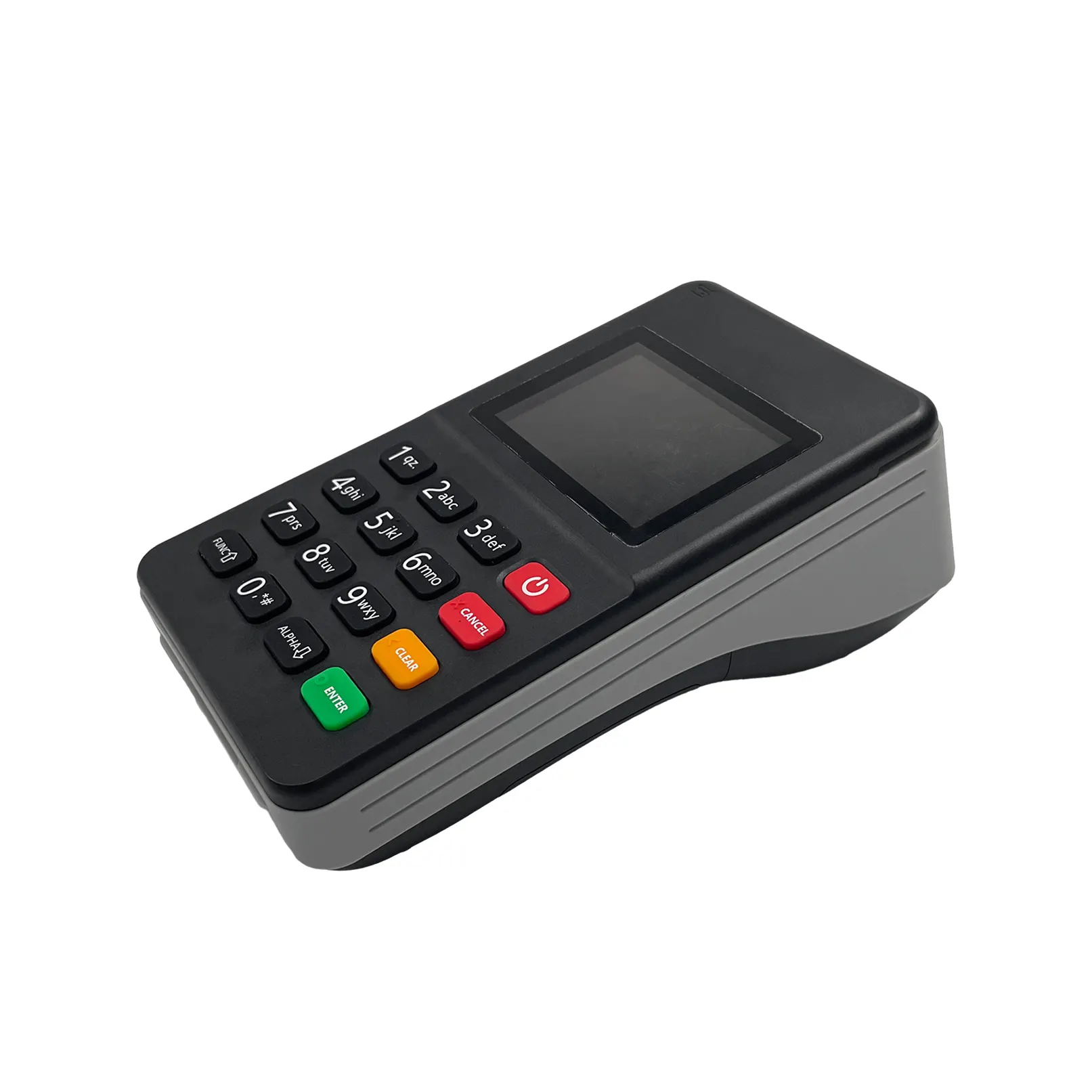
Mobile POS systems with built-in or integrated printers are increasingly becoming essential tools for restaurants and cafes. They provide the convenience of on-the-go transactions, seamless receipt printing, and real-time inventory management. Whether you're running a casual caf, a bustling restaurant, or a mobile catering business, having the right mobile POS system with a printer can significantly enhance your operational efficiency and customer experience.
Importance in the Restaurant Industry
- Quick Transaction Processing: Mobile POS systems allow staff to process transactions swiftly, reducing wait times and improving customer satisfaction.
- Receipt Printing: On-the-go receipt printing ensures that customers receive immediate confirmation of their purchases, maintaining professionalism and transparency.
- Integration with POS Systems: Many mobile POS systems seamlessly integrate with restaurant-specific POS systems, providing a unified platform for sales, inventory, and customer management.
- Versatility: Mobile POS systems with printers can be used in various settings, such as cafes, food trucks, catering events, and even at outdoor venues.
Defining Key Considerations for Mobile POS with Printers
Printer Types and Functions
The type of printer you choose will depend on your specific needs and the environment in which it will be used. There are three main types of POS printers:
Thermal Receipt Printers
Thermal receipt printers are the most common type in the restaurant industry. They are known for being reliable, fast, and low maintenance.
Key Features:
- Fast Print Speed: Print speeds typically range from 70 to 400 mm/s.
- Quiet Operation: Thermal printers are virtually silent, making them ideal for busy restaurants.
- Clear Text and Barcodes: Print high-quality text and barcodes for clear readability.
- Compact Design: Compact enough to fit in tight spaces, making them perfect for counter-top use.
Impact/Dot Matrix Printers
Impact or dot matrix printers are more durable and suitable for environments with high-volume printing and rugged use.
Key Features:
- Multi-Copy Receipts: Ideal for generating multiple copies of receipts for various departments or staff members.
- High-Temperature Resistant: Suitable for kitchen environments and other high-temperature areas.
- Durable Printing: Can handle dust, humidity, and other challenging conditions.
Mobile POS Printers
Mobile POS printers are designed for portability and wireless connectivity, ideal for transactions on the go.
Key Features:
- Battery Efficiency: Lasts for a full shift without needing recharging.
- Wireless Connectivity: Bluetooth or wireless options ensure continuous communication.
- Portability: Lightweight and compact, easy to carry around.
Print Quality and Speed
Print quality and speed are critical factors, especially in high-volume restaurant environments.
- Resolution: Check the printer's resolution, typically measured in dots per inch (DPI). Higher DPI ensures clearer and more detailed prints.
- Print Speed: Look for printers capable of handling high volumes quickly, helping to reduce customer wait times and improve efficiency.
Connectivity Options and Reliability
Connectivity options determine how easily and reliably the printer can integrate with your POS system.
- Bluetooth and Wi-Fi: Ensure that the printer supports multiple connectivity options like Bluetooth and Wi-Fi for flexibility.
- USB/Serial/Cable Support: If you prefer wired solutions, check for USB, serial, or Ethernet ports to ensure compatibility with your existing hardware.
Durability and Maintenance
Durability is crucial for ensuring long-term reliability and minimal downtime in restaurant environments.
- Durability: Look for printers made with robust materials that can withstand daily wear and tear.
- Maintenance: Lower maintenance requirements mean less downtime and lower operational costs. Thermal printers, for example, require no ink or ribbons, reducing maintenance needs.
Real-World Scenarios and Use Cases
Affordability for Small Cafes
For small cafes, affordability is a significant factor. Mobile POS systems with thermal printers are often more cost-effective due to their lower operating costs.
Key Considerations:
- Operation Costs: Thermal printers use heat-sensitive paper, eliminating the need for ink or ribbons, thus reducing ongoing costs.
- Initial Cost: Compare initial costs and long-term expenses, such as replacement parts and maintenance.
Durability for Outdoor Catering
Outdoor catering events require robust and reliable equipment that can handle various environments.
Key Considerations:
- Environmental Resilience: Choose printers designed for outdoor use, such as those with dust-resistant and water-resistant features.
- Power Efficiency: Ensure the printer has a powerful battery with long life, suitable for extended use without frequent recharges.
Easy Integration with Restaurant POS Systems
Integration with existing POS systems is crucial for smooth operations.
Key Considerations:
- Software Compatibility: Ensure that the printer is compatible with your existing POS software.
- Setup Ease: Look for printers that offer straightforward setup and easy integration, saving you time and reducing setup costs.
Step-by-Step Guide to Choosing the Right Mobile POS and Printer
Step 1: Assess Business Needs and Requirements
Before purchasing, define your business needs.
Volume and Types of Transactions
- Transactions per Day: Estimate the number of transactions your restaurant handles daily.
- Types of Transactions: Determine the types of transactions and receipts you need to print.
Physical Environment
- Counter-Top vs. Mobile: Decide whether you need a fixed countertop printer or a portable mobile printer.
- High-Temperature and Dust: If your restaurant has hot kitchen environments or outdoor areas, choose a printer designed for such conditions.
Connectivity Needs
- Wi-Fi, Bluetooth, and 4G: Define your connectivity needs based on whether you need wireless or wired connections.
- Backup Options: Consider alternative connectivity options in case of network failures.
Step 2: Compare Features and Specifications
Once you have a clear idea of your requirements, compare different models.
Print Quality and Speed
- Resolution (DPI): Compare printers based on their print resolution.
- Print Speed (mm/s): Look for printers that can handle high-volume transactions efficiently.
Durability and Maintenance
- Materials and Build: Assess the durability of different printers based on their materials and build quality.
- Maintenance Requirements: Consider printers with low maintenance needs to reduce downtime.
Connectivity and Reliability
- Compatibility: Compare printers based on their connectivity options and reliability in different environments.
- Driver and Software Support: Ensure that the printer comes with reliable drivers and software support.
Step 3: Evaluate Supplier Reputation
Choose a supplier with a proven track record and reliable after-sales support.
Supplier Experience and Expertise
- Years in Business: Select a supplier with extensive experience in the industry.
- Reputation: Research the supplier's reputation by checking customer reviews and feedback.
Product Reliability and Performance
- Print Head Lifespan: Verify that the supplier provides information on print head lifespans and cutter durability.
- Certifications: Look for suppliers with relevant certifications and quality standards.
Step 4: Assess Long-Term Costs and Benefits
Consider the total cost of ownership (TCO) and long-term benefits.
Cost of Ownership
- Initial Cost: Compare initial purchase costs with the long-term operational and maintenance costs.
- Consumables: Factor in the costs of consumables like thermal paper and any necessary replacements.
Long-Term Benefits
- Customization: Choose a supplier that offers customization options for your business needs.
- Service and Support: Select a supplier with robust after-sales service and support.
Expert Insights and Case Studies
Supposeller vs. Manufacturer
It's important to differentiate between a supplier and a manufacturer. A supplier may sell products from various manufacturers, while a manufacturer produces their own devices.
Supplier
- Pros: Offers a wider range of products from different manufacturers.
- Cons: May lack the technical expertise and customization options available from direct manufacturers.
Manufacturer
- Pros: Direct manufacturer offers better technical support, customization, and superior quality control.
- Cons: Limited range of products as they only produce their own devices.
Technical Specifications Explained
Understanding technical specifications can help you make an informed decision.
Print Head Lifespan
- Importance: A longer print head lifespan means less downtime and reduced maintenance costs.
- Average Lifespan: Look for printers with a minimum lifespan of 100 million lines.
Resolution and Print Quality
- Resolution (DPI): Higher DPI ensures clearer prints.
- Print Quality: Clear text and barcodes are crucial for readability and accuracy.
Customization and Technical Support
- Private Labeling: Choose a supplier offering customization options like private labeling.
- Technical Support: Ensure the supplier offers reliable technical support and documentation.
Common Pitfalls to Avoid
Selection Based on Price Alone
- Risk: Lower-cost printers may have lower quality, frequent issues, and limited after-sales support.
- Advice: Consider long-term costs and benefits, not just the initial price.
Ignoring Application Environment
- Risk: Choosing a printer unsuitable for the actual environment can lead to malfunctions.
- Advice: Assess the specific environment and select a printer designed for it.
Ignoring Technical Support
- Risk: Without reliable support, operational issues can cause significant disruptions.
- Advice: Ensure the supplier provides comprehensive documentation and support services.
Not Verifying the Supplier
- Risk: Trading companies may offer lower quality products without technical expertise.
- Advice: Verify the supplier's reputation and technical expertise before making a decision.
Why Choose SZFP?
Company Background and Industry Experience
SZFP has over 20 years of experience in the POS industry. Our extensive knowledge and expertise have enabled us to consistently provide high-quality solutions that meet the needs of our clients.
Production Capacity
- Capacity: We produce 50,000 to 60,000 units per month, ensuring a steady supply and timely delivery.
- Global Presence: Our worldwide sales coverage allows us to provide solutions across various regions and business types.
Quality Standards and Certifications
We adhere to stringent quality standards and certifications to ensure reliability and performance.
Certifications
- ISO 9001: Our products and processes meet international quality standards.
- Other Certifications: We comply with various certifications such as RoHS and CE to ensure environmentally friendly and safe products.
Customization and Support
- OEM and ODM Support: We offer custom solutions for businesses that require specific features or branding.
- Technical Expertise: Our team has in-depth technical knowledge to support advanced integration and setup.
Real-Time Printing Technologies
Leverage our advanced printing technologies for seamless transactions.
Rugged Reliability
- Built Tough: Our products are designed for the demanding environments of restaurants and catering events.
- Assure Service Warranty: Trust our industry-leading warranty for peace of mind.
Efficient Operation
- Flexible Connectivity: Our devices support multiple connectivity options, ensuring reliable communication.
- Long-Lasting Battery: Our printers are equipped with powerful batteries for extended use without recharging.
Empowering Business Growth
- Scalable Solutions: Our solutions can scale with your business needs, providing flexibility and growth opportunities.
- Professional Installation and Support: Enjoy hassle-free setup and reliable support throughout your operations.
Conclusion
If your business is in need of a reliable mobile POS solution, now is the time to explore SZFP's range of products. Contact our team today to discuss your specific needs and learn how SZFP's cutting-edge solutions can elevate your operations to the next level.
FAQs
Question 1. What is the difference between a POS printer supplier and a POS printer manufacturer?
Answer: A supplier sells POS printers and may source them from different factories. A manufacturer designs or produces the printers directly, often offering better technical support, customization, and production control.
Question 2. Why are thermal POS printers widely used in retail and hospitality?
Thermal POS printers are fast, quiet, and low maintenance. They do not require ink or toner, which helps reduce running costs and supports high-volume daily receipt printing.
Table of Contents
- 2.1.3Mobile POS Printers
- 4.1.2Physical Environment
- 4.1.3Connectivity Needs
- 4.4.1Cost of Ownership
- 4.4.2Long-Term Benefits
- 5.1.1Supplier
- 5.1.2Manufacturer
- 5.2.1Print Head Lifespan
- 6.1.1Production Capacity
- 6.2.1Certifications
- 6.3.1Rugged Reliability
- 6.3.2Efficient Operation
- 7.1FAQs
GET IN TOUCH WITH Us
We are a professional pos terminal manufacturer and high-tech company registered in Shenzhen and Hong Kong, China, focusing on EFT-POS terminal R&D.
Tel: 86-755-86276295
Email: sales@szfptech.com
Address: Room 213, Building 1, Mingliang Science Park, 88 Zhuguang North Road, Taoyuan Street, Shenzhen, Guangdong, China
Copyright © 2026 SZFP | Privacy Policy Sitemap